TL;DR
Nano Banana 2 image editing gives you three distinct ways to create and refine visuals: Text-to-Image generates original images from written descriptions across 12+ art styles, Image-to-Image transforms existing photos through style transfer, creative reinterpretation, and targeted local repaint, and AI Enhancement upscales resolution and refines details without degrading quality. Together, these three modes cover the entire image editing pipeline — from initial creation through iterative refinement to final polish — inside a single browser-based platform that requires zero design experience. Whether you're new to nano banana image editing or looking to level up, this guide covers everything.
Whether you need product photos for an e-commerce store, scroll-stopping social media graphics, brand-consistent marketing materials, or personal art projects, Nano Banana 2 handles it. Free credits are included at signup, so you can test every editing mode before spending anything.
Start editing images for free → | Try Image-to-Image editing → | Generate images from text → | Create optimized prompts →
The three pillars of Nano Banana 2 image editing: create from scratch with text prompts, transform existing images through style transfer, and enhance quality with AI upscaling.
What Is Nano Banana 2 Image Editing?
If the phrase "image editing" still makes you think of spending forty minutes masking hair in Photoshop or dragging sliders in Lightroom, the Nano Banana 2 approach to image editing will feel like a different discipline entirely — because it is.
Nano Banana 2 image editing is AI-native. Instead of manipulating pixels manually, you describe what you want in plain language and let the AI handle execution. Want to turn a product photo into a watercolor illustration? Upload it, type a sentence, and the transformation happens in seconds. Want to create a completely new image of a sunset over a mountain lake? Describe it, pick a style, and the AI generates it from nothing. Want to upscale a low-resolution image to print quality? Drop it in and the AI reconstructs detail that was never there.
This is fundamentally different from traditional editing tools. Photoshop gives you surgical precision over every pixel — and demands hundreds of hours of training to use competently. Lightroom gives you powerful photo development controls — and assumes you already understand exposure, white balance, and color grading. Canva gives you templates — and limits you to what those templates allow.
Nano Banana 2 gives you creative intent. You say what you want the result to look like, and the AI figures out how to get there. The skill ceiling is your ability to describe a visual concept clearly — a skill anyone can develop in minutes, not months.
This does not mean AI image editing replaces traditional tools for every workflow. A retoucher removing a specific blemish from a portrait still needs Photoshop's precision. A photographer developing RAW files still benefits from Lightroom's non-destructive workflow. But for the vast majority of image editing tasks that most people encounter — creating visuals, transforming styles, enhancing quality, producing variations — Nano Banana 2's AI-first approach is faster, more accessible, and requires dramatically less expertise.
The platform lives at nanobanana2app.com and runs entirely in the browser. No downloads, no plugins, no GPU requirements. If you want the full backstory on the platform, start with What Is Nano Banana 2. If you want to jump straight into creating, the step-by-step tutorial will walk you through every tool.
This guide focuses specifically on Nano Banana 2's image editing capabilities — the three editing modes, how they compare to traditional tools, ten real-world use cases, and the pro tips that separate average results from exceptional ones. By the end, you will understand exactly how nano banana image editing works, when to use each mode, and how to produce professional-quality visuals regardless of your design background.
3 Ways to Edit Images with Nano Banana 2
Nano Banana 2 organizes its image editing capabilities into three distinct modes. Each serves a different creative purpose, and understanding when to use which mode is the key to getting the most from the platform.
1. Text-to-Image: Create from Scratch
The Text-to-Image tool is where most nano banana image editing workflows begin. You write a description of the image you want — from a few casual words to a detailed multi-sentence prompt — and the AI generates a high-quality image that matches your description.
What makes Text-to-Image an editing tool rather than just a generation tool is the degree of control you have over the output. You are not simply rolling dice and hoping for a good result. You are directing the AI with specific instructions about subject, composition, lighting, color palette, mood, and style. This is creative direction — a form of image editing that starts before the image exists.
The platform supports 12+ distinct art styles that fundamentally change how the AI interprets your prompt:
- Photorealistic — product photography, portraits, landscapes that look like camera shots
- Digital Art — polished illustrations for social media, blogs, marketing materials
- Anime / Manga — character art, fan illustrations, Japanese animation aesthetics
- Watercolor — soft, painterly compositions with visible brush texture
- Oil Painting — rich, textured artwork with classical fine art quality
- Concept Art — environment design, character concepts, visual development
- Flat Design / Vector — clean, modern graphics for UI, marketing, and branding
- Pixel Art — retro game aesthetics, nostalgic digital art
- Pencil Sketch — hand-drawn illustration effects
- Art Nouveau — ornamental, decorative style inspired by the early 20th century movement
- Cyberpunk — neon-lit, futuristic sci-fi aesthetics
- Fantasy Illustration — epic, detailed fantasy world imagery
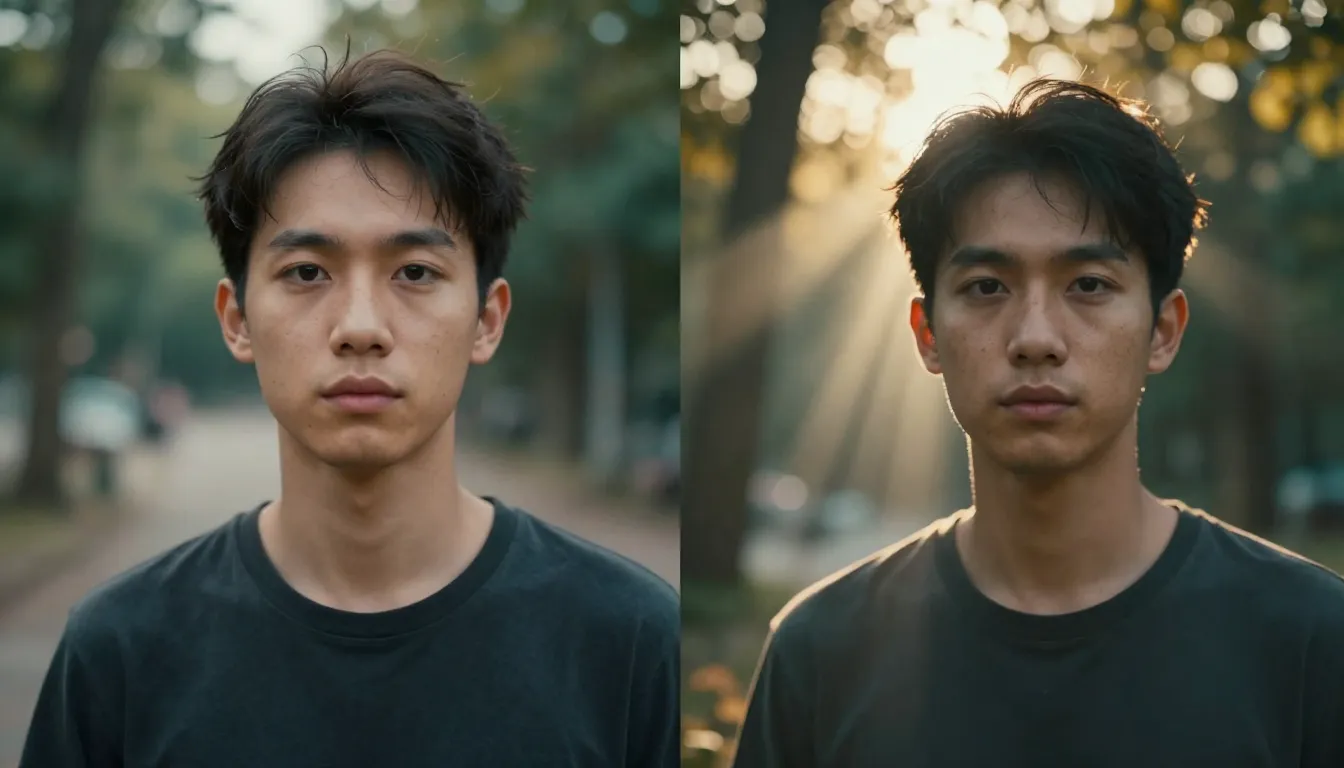
Style selection is not a post-processing filter. It shapes the AI's interpretation from the ground up. The same prompt — "a woman standing in a garden" — produces a photorealistic portrait in one style, a Ghibli-esque illustration in another, and a surrealist oil painting in a third. You can explore multiple visual directions from a single concept without rewriting your prompt.
For users who are not sure how to write effective prompts, the Image Prompt Generator solves that problem completely. Describe your idea in a few casual words — "cat on a rooftop at sunset, anime style" — and the generator produces a detailed, optimized prompt ready to paste into Text-to-Image.
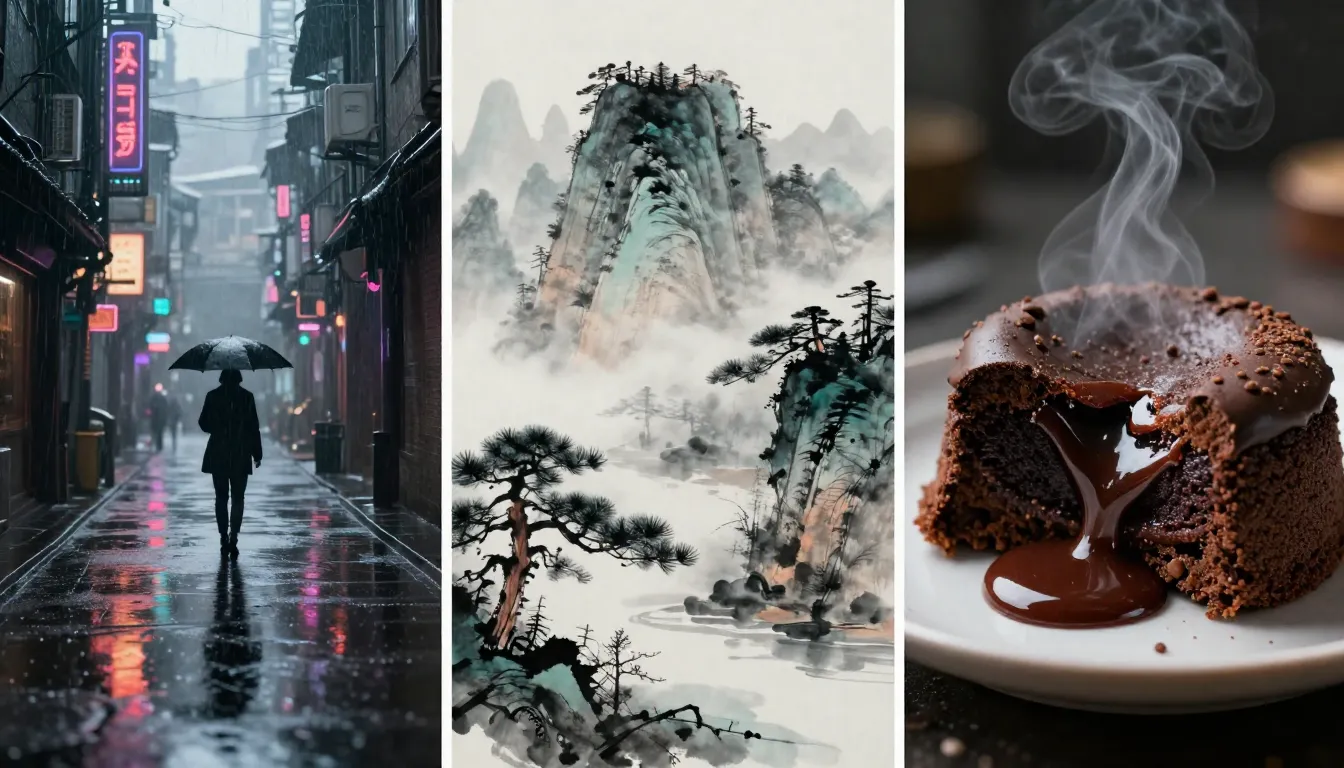
One prompt, three styles — Nano Banana 2 text-to-image editing lets you explore dramatically different visual directions from the same description.
2. Image-to-Image: Transform and Restyle
If Text-to-Image is about creating something from nothing, Image-to-Image is about taking something that already exists and reimagining it. This is the nano banana tool that most closely resembles traditional image editing — except instead of adjusting sliders and applying filters, you describe the transformation you want in plain language.
Upload any image — a smartphone photo, a product shot, a downloaded reference, or an image you generated with Text-to-Image — and tell the AI how you want it changed. The possibilities fall into several categories:
Style Transfer is the most popular use case. Upload a photograph and transform it into a completely different artistic medium. A casual selfie becomes a Renaissance oil portrait. A real estate photo becomes an architectural watercolor rendering. A product shot becomes a pop art illustration. The AI preserves the composition and key subjects while completely reimagining the visual style.
Creative Reinterpretation goes beyond style transfer. You can change the season (summer landscape to winter), shift the time of day (afternoon to golden hour), alter the mood (cheerful to dramatic), swap environments (indoor to outdoor), or add elements that were never in the original photo. The AI understands context well enough to make these changes feel coherent rather than pasted-on.
Local Repaint targets specific areas of an image for modification while leaving the rest untouched. Change the color of a dress, replace a background, modify a facial expression, add or remove objects — all with natural language instructions. This is closest to traditional editing workflows but without the manual masking, layer management, and blending that would take ten times longer in Photoshop.
The key control in Image-to-Image editing is transformation strength. Low strength makes subtle adjustments while heavily preserving the source image — ideal for gentle color grading or minor style tweaks. High strength gives the AI more creative freedom to reinterpret the image dramatically — better for full style transfers or major creative changes. Learning to dial in the right transformation strength for each editing task is one of the most valuable skills you can develop with this nano banana tool.
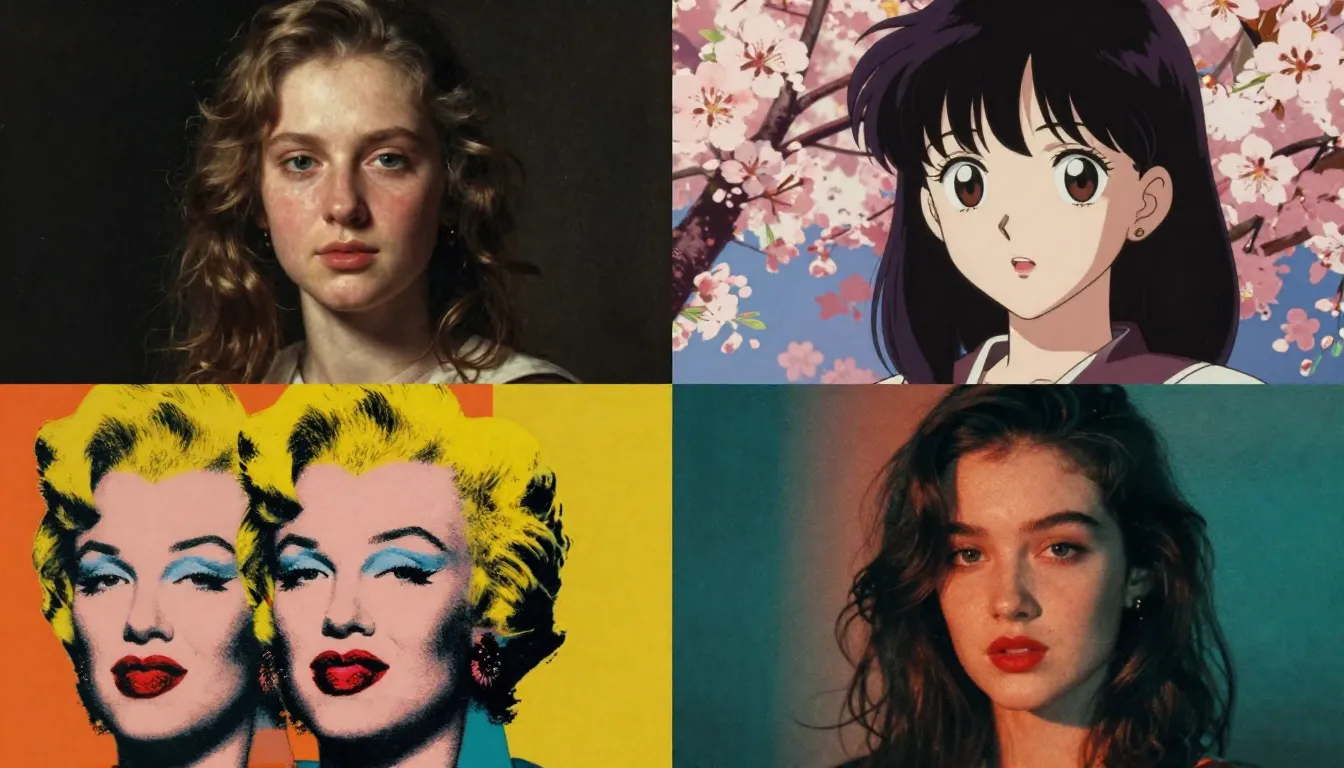
The same source photo, four completely different styles — Nano Banana 2 image-to-image editing transforms your existing images into any visual aesthetic you can describe.
3. AI Enhancement: Upscale and Refine
The third pillar of Nano Banana 2 image editing handles what happens after creation — the refinement and quality enhancement stage that turns good images into exceptional ones.
AI Enhancement addresses several common image quality challenges:
Resolution Upscaling increases image dimensions while reconstructing fine detail that was not present in the original. A 512×512 generation can be upscaled to 2048×2048 or higher with sharp, coherent detail throughout. Unlike traditional upscaling that simply stretches pixels (producing blurry results), AI upscaling generates new detail that is consistent with the existing image content.
Detail Refinement sharpens textures, corrects minor artifacts, and improves the overall fidelity of generated images. AI-generated images sometimes contain subtle inconsistencies — slightly blurred edges, minor texture repetitions, or areas where detail falls off. Enhancement catches and corrects these without altering the image's creative intent.
Quality Polish applies final-stage improvements to color consistency, contrast balance, and tonal range. Think of it as the AI equivalent of a professional colorist's final pass — subtle adjustments that elevate the image from "good AI generation" to "indistinguishable from professional work."
Enhancement is particularly valuable when you need images for high-resolution outputs — print materials, large-format displays, website hero images that need to look sharp on 4K monitors. It is the finishing step that ensures your nano banana image editing output meets professional production standards regardless of where it will be displayed.
The three modes work together as a pipeline. A typical nano banana image editing workflow might look like: generate a base concept with Text-to-Image, refine style and details through Image-to-Image, then polish and upscale with AI Enhancement. Each step builds on the previous one, and the entire process from initial concept to production-ready image takes minutes rather than hours.
Nano Banana 2 Image Editing vs. Traditional Tools
How does AI-powered image editing stack up against the tools that have dominated visual creation for decades? Here is an honest comparison.
| Feature | Nano Banana 2 | Photoshop | Lightroom | Canva |
|---|---|---|---|---|
| Learning Curve | Minutes — natural language interface | Months to years for proficiency | Weeks for core workflow | Hours for templates |
| AI Image Generation | Full text-to-image and image-to-image | Limited (Generative Fill only) | None | Basic AI features |
| Style Transfer | One-click across 12+ styles | Manual, requires advanced skills | Presets only | Template-based filters |
| Pixel-Level Precision | Not available | Industry-leading | Good for photo development | Limited |
| Batch Processing | Fast prompt-based batch generation | Actions and scripting | Strong batch capabilities | Template duplication |
| Price | Free tier + affordable credits | $22.99/month (Photography plan) | $9.99/month | Free tier + $12.99/month Pro |
| Target User | Creators, marketers, e-commerce, anyone | Professional designers, photographers | Photographers | Non-designers, small teams |
| Video Generation | Built-in text-to-video and image-to-video | None (separate After Effects) | None | Basic video editing |
| Prompt Generator | Built-in AI prompt optimization | None | None | None |
Where Nano Banana 2 wins: Speed of creation, accessibility for non-designers, AI-native generation from text, seamless style transfer, integrated prompt optimization, and video generation within the same platform. As an AI photo editor, Nano Banana 2 eliminates the gap between "I have an idea" and "I have a finished image" — a gap that can be hours or days with traditional tools.
Where Photoshop wins: Pixel-level precision editing, advanced compositing, detailed retouching, layer-based workflows, and surgical control over every aspect of an image. If you need to remove a single stray hair from a portrait, match skin tones across multiple images pixel-perfectly, or create complex multi-layer compositions with precise masking — Photoshop remains the industry standard. This is a genuine strength, not something to dismiss.
The practical conclusion: For most image editing tasks that most people encounter — creating new visuals, restyling photos, generating marketing content, producing social media graphics — Nano Banana 2 is faster, cheaper, and requires far less training. For specialized professional editing that demands pixel-level control, Photoshop remains essential. Many professionals use both: Nano Banana 2 for rapid creation and exploration, Photoshop for precision finishing work.
10 Nano Banana 2 Image Editing Use Cases
The best way to understand what nano banana image editing can do is to see how real users apply it across different industries and creative needs. These are not hypothetical scenarios — they represent the most common workflows that users run through the platform daily.
1. E-commerce Product Photography
Creating compelling product images traditionally requires a photo studio, professional lighting, a photographer, and post-production editing. Nano Banana 2 compresses this entire pipeline into minutes.
Upload a basic product photo shot on a white background, then use Image-to-Image to place the product in lifestyle settings — a coffee mug on a rustic kitchen table, a handbag styled with accessories on a marble surface, a tech gadget in a modern workspace. Generate seasonal variations (holiday themes, summer vibes, back-to-school settings) from the same source image without reshooting. Create A/B test variants for different marketplace listings to see which styling drives more conversions.
For products that do not exist yet — prototypes, concepts, or customized variants — Text-to-Image generates photorealistic product visuals from descriptions alone, giving e-commerce sellers professional listing images before the physical product is even manufactured.
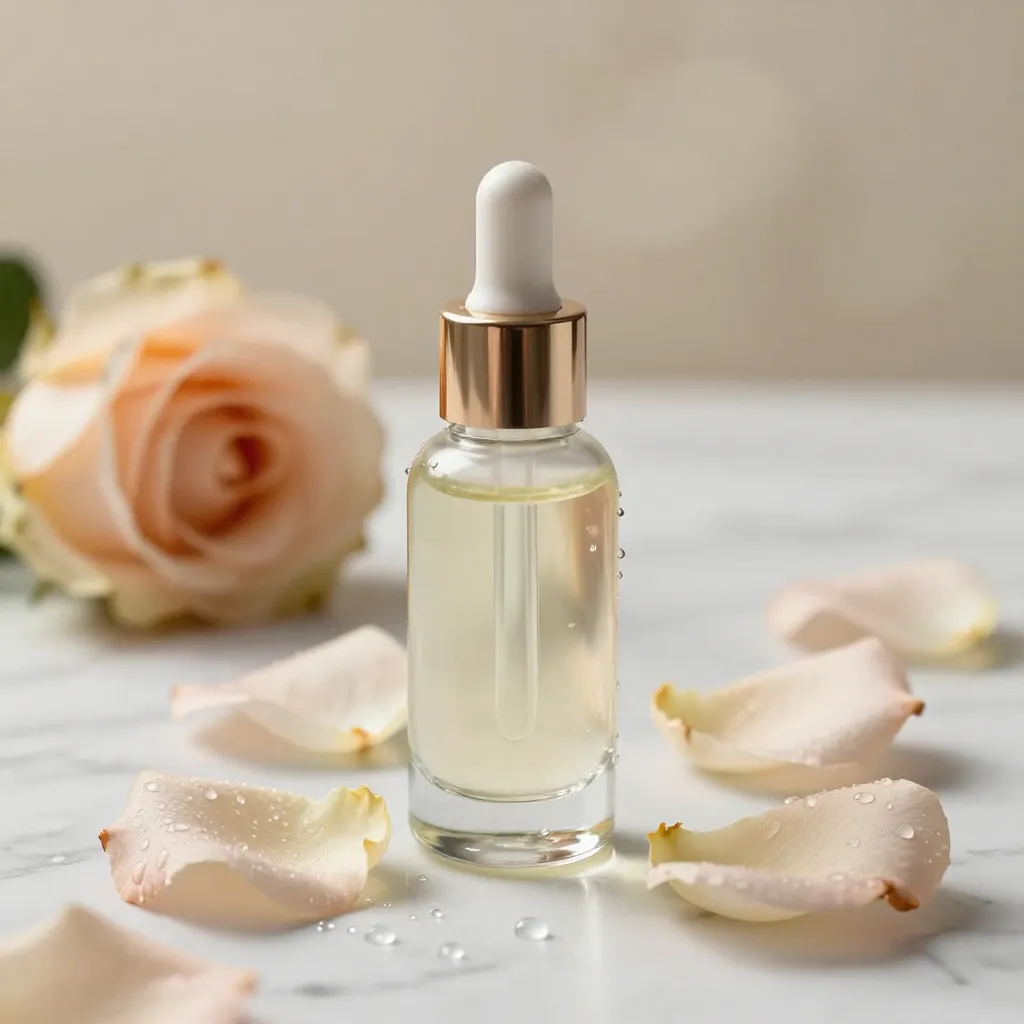
From basic product photo to styled lifestyle scenes — Nano Banana 2 image editing creates marketplace-ready visuals in minutes, not hours.
2. Social Media Content at Scale
Social media demands relentless visual output. Instagram, TikTok, Pinterest, LinkedIn, and X all reward accounts that post consistent, high-quality visual content — and penalize gaps in posting schedule. Traditional design workflows cannot keep pace without a dedicated design team.
Nano Banana 2 image editing changes the math. Generate a week's worth of Instagram carousel graphics in a single sitting. Create Pinterest pins optimized for different aesthetics — minimalist, bold typography, lifestyle photography — by varying prompts and styles. Produce TikTok cover images that stop the scroll. Build a consistent visual brand across platforms by using the same style settings and prompt patterns.
The combination of Text-to-Image for original content and Image-to-Image for variations from a single source image means you can produce dozens of unique, on-brand visuals per hour.
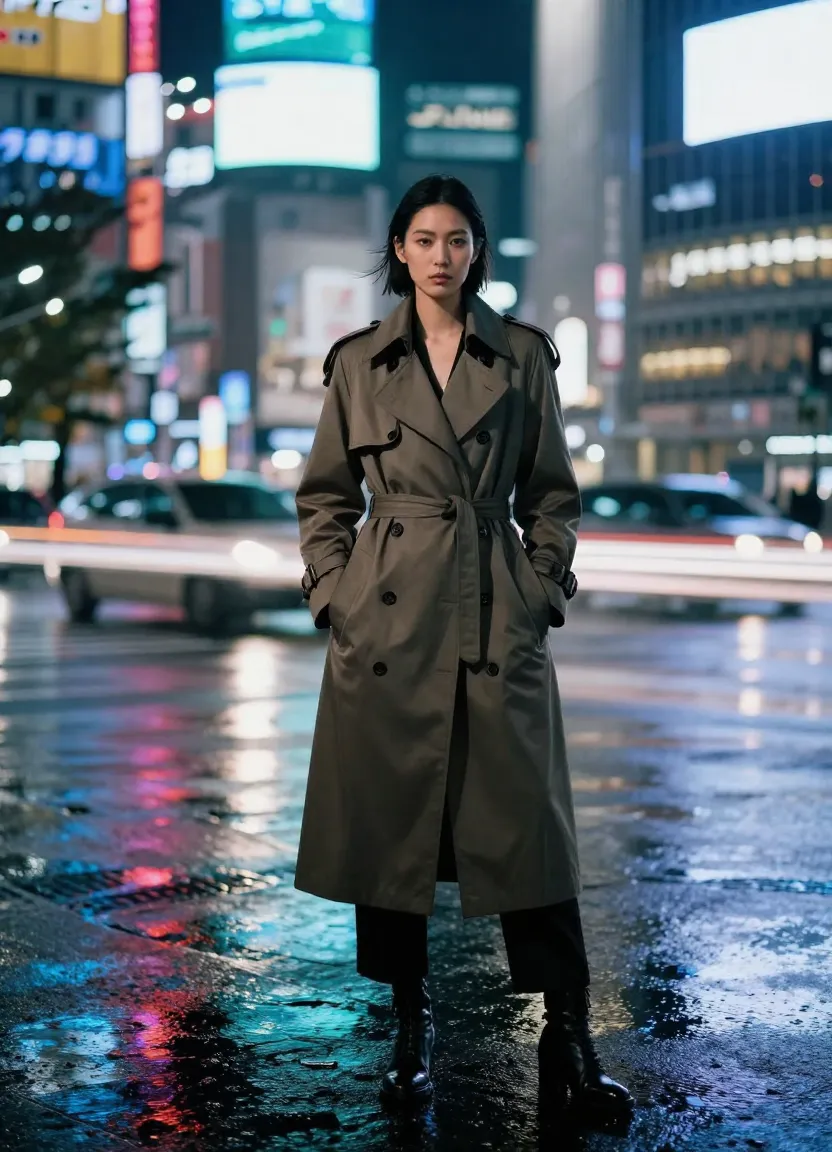
Batch-produce platform-optimized social media content — Nano Banana 2 image editing handles the visual output so you can focus on strategy.
3. Brand Design and Visual Identity
Creating mood boards, exploring brand color palettes, generating logo concepts, and producing brand asset variations — these are tasks where AI image editing accelerates the discovery phase dramatically. Instead of spending weeks exploring visual directions, generate dozens of brand concept variations in an afternoon.
Use Text-to-Image to create brand imagery that reflects your target aesthetic — modern minimalist, bold maximalist, organic and natural, tech-forward and sleek. Use Image-to-Image to apply brand color palettes to existing visual concepts. Build a library of brand-consistent imagery that extends across marketing materials, website graphics, and social media presence.
4. Photography Post-Processing
Photographers are increasingly integrating AI editing into their post-processing workflow — not to replace their artistic eye, but to accelerate the parts of editing that are tedious rather than creative.
Use Image-to-Image to explore different color grading directions for a photo set. Apply artistic treatments to select images for social media sharing while keeping the originals pristine. Generate creative variants of portfolio pieces — the same composition in watercolor, digital art, or cinematic styles — for expanded portfolio presentation. Upscale images for large print orders while preserving sharpness and detail.
5. Game Art and Illustration
Concept artists, indie game developers, and illustrators use nano banana image editing to accelerate the ideation phase. Generate dozens of environment concepts, character design variations, and prop iterations in the time it would take to sketch three or four by hand.
Text-to-Image excels at producing concept art — describe a fantasy castle, a sci-fi corridor, a character with specific armor and weapons — and receive a detailed visual reference in seconds. Image-to-Image then iterates on the best concepts, refining details, exploring color variations, and testing different moods until the concept is ready for a production artist to finalize.
6. Architecture and Interior Design Visualization
Architects and interior designers use AI image editing to visualize spaces before they exist. Describe a modern kitchen with marble countertops and pendant lighting, and Text-to-Image produces a realistic rendering. Upload a photo of an existing room and use Image-to-Image to show clients what it would look like with different furniture, wall colors, flooring, or lighting.
This dramatically shortens the client feedback loop. Instead of waiting for formal renderings from a 3D visualization team, designers can show clients multiple options during the same meeting and iterate in real time.
7. Fashion Design and Lookbook Creation
Fashion designers and brands use Nano Banana 2 to visualize garment concepts, create lookbook imagery, and produce marketing visuals without full photo shoots. Describe a garment on a model in a specific setting, and Text-to-Image generates editorial-quality fashion photography. Use Image-to-Image to test the same outfit in different color options, fabric textures, or styling contexts.
For independent designers and small brands that cannot afford frequent professional photo shoots, this nano banana tool provides a production-quality visual pipeline at a fraction of the cost.
8. Wedding and Event Planning
Event planners and couples use AI image editing to visualize venue styling, table arrangements, floral designs, and decor themes before committing to vendors and purchases. Generate realistic mockups of how a venue would look with specific lighting, color schemes, and decoration styles.
Upload a photo of an empty venue and use Image-to-Image to show it transformed for a garden-themed wedding, a glamorous black-tie gala, or a rustic farmhouse celebration. These AI-generated visualizations help clients make confident decisions and give vendors clear creative direction.
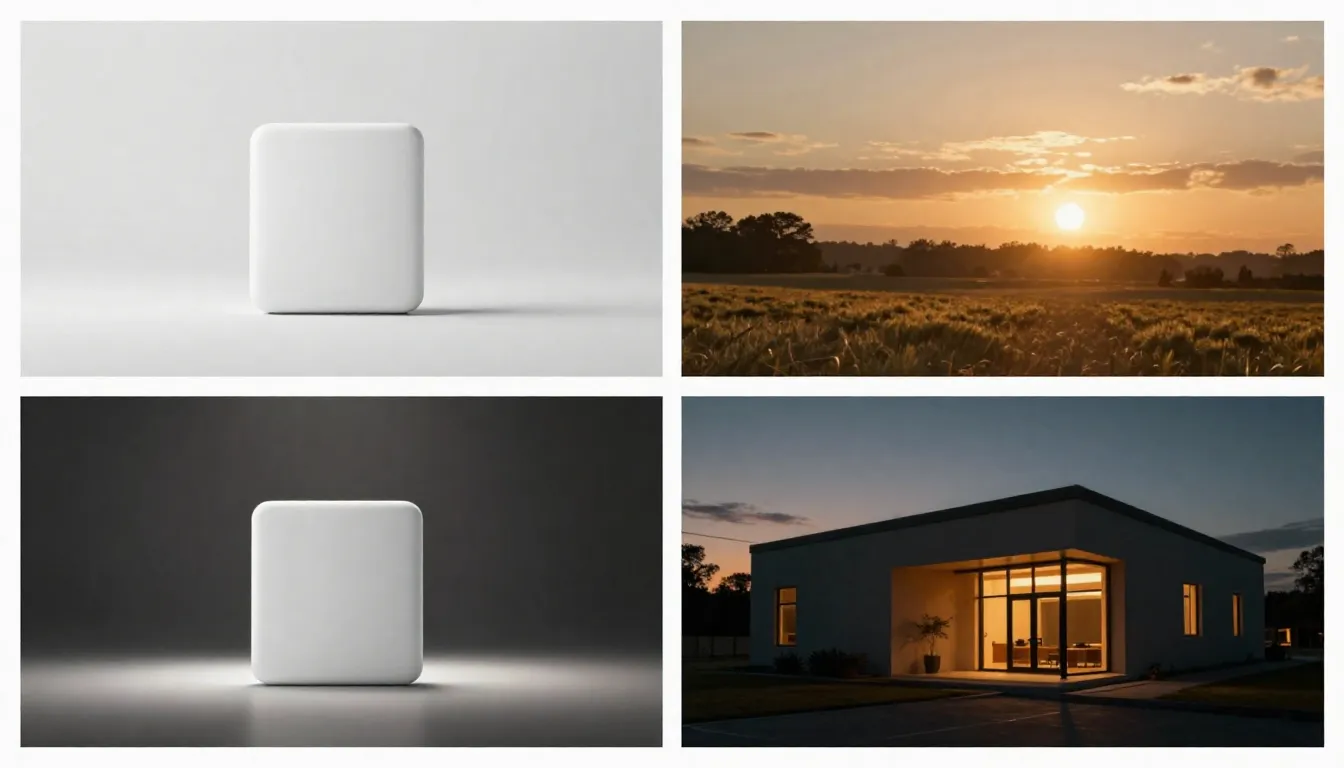
Nano Banana 2 image editing transforms raw inputs into polished outputs across industries — from product photography to architectural visualization.
9. Education and Training Materials
Educators, course creators, and instructional designers need custom visual content to illustrate concepts, create engaging slides, and build training materials. Stock photos rarely match the specific scenario being taught. Custom illustrations are expensive to commission.
Nano Banana 2 image editing fills this gap. Generate illustrations of specific scientific concepts, historical scenes, mathematical visualizations, or technical processes directly from text descriptions. Create consistent visual styles across an entire course by using the same style settings for every generation. Update outdated visuals instantly by regenerating with modified prompts.
10. Personal Creative Projects
Not every use of AI image editing has a commercial purpose. Many users explore Nano Banana 2 as a creative outlet — generating art for home decoration, creating custom phone wallpapers, making personalized gifts (custom portraits in different art styles), visualizing fictional worlds from books they love, or simply experimenting with visual ideas that have been living rent-free in their imagination.
The low barrier to entry — free credits, no software to install, no skills to learn — makes nano banana image editing accessible to anyone with a creative impulse and a web browser. There is no minimum skill level and no wrong way to start — just open the platform, describe what you see in your mind, and let the AI bring it to life. For a gallery of what users have created, see our Nano Banana 2 AI Image Examples.
Pro Tips for Better Nano Banana Image Editing Results
The difference between average AI-generated images and genuinely impressive results usually comes down to technique, not the tool. Mastering these strategies will transform your nano banana image editing results from "interesting experiments" to "professional-quality deliverables." Here are the pro strategies that experienced users rely on.
Write Structured Prompts
The single biggest improvement you can make to your nano banana image editing results is writing more structured prompts. Instead of a vague sentence, build your prompt with distinct layers:
- Subject — who or what is the main focus, with specific attributes (age, clothing, expression, material, color)
- Setting — where the scene takes place, with environmental details
- Lighting — time of day, light direction, quality (soft, dramatic, studio, natural)
- Style — the artistic treatment you want (reinforces the style selector)
- Mood — the emotional atmosphere (serene, energetic, mysterious, joyful)
- Quality modifiers — technical quality descriptors placed at the end ("4K," "ultra-detailed," "professional photography," "sharp focus")
A structured prompt like "A ceramic coffee mug with geometric patterns on a weathered wooden table, morning sunlight streaming through a kitchen window creating warm shadows, photorealistic product photography, cozy and inviting mood, ultra-detailed, professional studio quality" produces dramatically better results than "a coffee mug on a table."
If prompt writing feels intimidating, the Image Prompt Generator applies this structure automatically. Feed it a casual description, and it returns a fully optimized, layered prompt.
Choose Reference Images Strategically
For Image-to-Image editing, the quality and composition of your source image directly influences the quality of the output. Tips for choosing better references:
- Prefer well-lit, sharp source images. The AI works with what you give it. A blurry, poorly lit source constrains the output quality even with high transformation strength.
- Match the composition to your intent. If you want a portrait-style result, start with a portrait-oriented source. If you want a landscape scene, start with a landscape composition.
- Use simple backgrounds for product editing. Products on clean backgrounds give the AI the clearest starting point for placing them in new environments.
- Consider the source image's mood. Even with high transformation strength, the source image's fundamental composition and subject positioning carry through. Choose sources that align with your intended final result.
Iterate: V1 → V2 → V3
Professional AI image editing is never a one-shot process. The most compelling results come from iterative refinement:
- V1: Establish the concept. Generate the first version with a basic prompt to see if the overall direction is right. Evaluate what works and what does not.
- V2: Refine the details. Adjust the prompt based on V1 results — add specificity where the AI went wrong, strengthen the elements that worked, modify the style or lighting if needed.
- V3: Polish to professional quality. Add quality modifiers, fine-tune composition terms, and make final adjustments. Alternatively, send V2 to Image-to-Image for targeted refinement of specific elements.
This three-pass approach is fast — each iteration takes seconds — and produces far better results than trying to write a perfect prompt on the first attempt. For a full tutorial on iteration techniques, see our step-by-step guide.
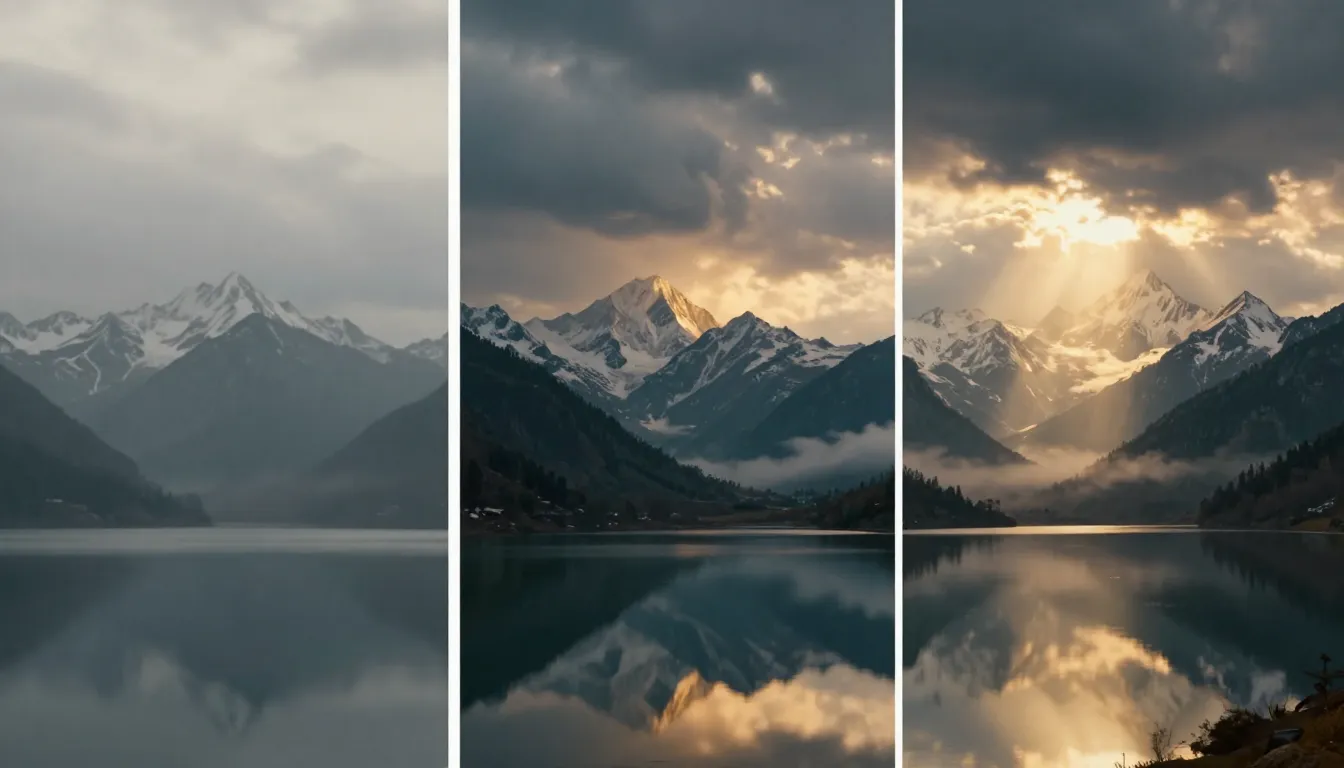
The V1 → V2 → V3 iteration workflow: each pass refines the result, from rough concept to polished professional output.
Maintain Batch Consistency
When creating a series of related images — social media campaign sets, product line visuals, blog illustration series — consistency matters more than individual image quality. Here is how to keep your AI-generated images visually cohesive:
- Reuse prompt structure and style terms. Create a template prompt with fixed style descriptors and only change the subject-specific terms for each image in the series.
- Lock the style setting. Use the same art style for every image in a batch. Mixing styles within a single campaign breaks visual cohesion.
- Use Image-to-Image from a consistent source. When generating variations, use the same source image or a generated image from the same prompt family as your starting point.
- Save successful prompts. When you find a prompt that nails the look you want, save it as a template and derive all batch images from variations of that prompt.
Batch consistency turns individual AI-generated images into a professional visual system — and that system-level polish is what separates amateur AI output from work that looks deliberately designed.
Nano Banana 2 Image Editing Pricing
Nano Banana 2 uses a credit-based pricing model. Every account starts with free credits — enough to try every editing mode and produce a meaningful set of images before deciding whether to invest further. There are no feature restrictions on the free tier; you get the same tools, styles, and quality as paid users.
When you need more, credit packages are available at straightforward per-credit pricing. Higher-tier plans reduce the per-credit cost, making them more economical for regular users and professional workflows.
Key pricing facts:
- Free credits at signup — no credit card required
- All features available on free tier — same quality, same styles, same tools
- Pay-as-you-go credit packages — buy only what you need
- Pro plans — lower per-credit cost for high-volume users
For a complete pricing breakdown with detailed cost comparisons and recommendations by use case, see our Nano Banana 2 Free & Pricing Guide.
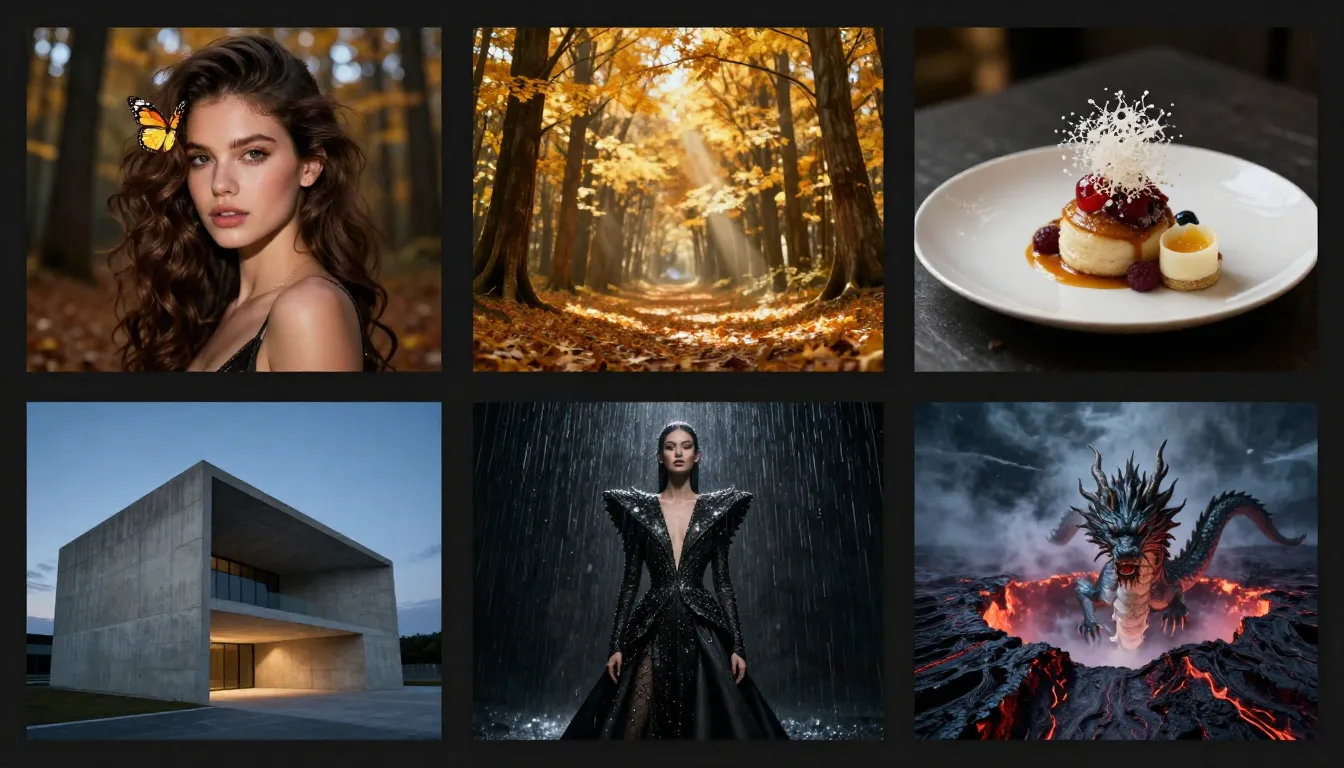
A sample of what Nano Banana 2 image editing produces — from photorealistic portraits and product photography to stylized illustrations and concept art.
Frequently Asked Questions
What is nano banana image editing?
Nano Banana 2 image editing is a suite of AI-powered tools for creating, transforming, and enhancing images at nanobanana2app.com. It includes three core modes: Text-to-Image for generating original images from text descriptions, Image-to-Image for transforming existing photos through style transfer, creative reinterpretation, and local repaint, and AI Enhancement for upscaling resolution and refining details. Unlike traditional photo editors that require manual pixel manipulation, Nano Banana 2 uses natural language instructions — you describe what you want, and the AI executes it. The platform supports 12+ art styles, multiple aspect ratios, and integrates with a Prompt Generator that helps write optimized editing instructions.
Is Nano Banana 2 image editing free?
Yes, every new account receives free credits that provide access to all editing features with no restrictions. You can use Text-to-Image, Image-to-Image, the Prompt Generator, and AI Enhancement on the free tier — same quality, same styles, same output resolution as paid users. No credit card is required to sign up. The free credits are designed to give you a genuine editing experience, not a crippled preview. When you need more credits for ongoing work, affordable packages are available with reduced per-credit pricing on Pro plans. See the full pricing guide for details.
Can Nano Banana 2 replace Photoshop?
For many common editing tasks — creating images from text, restyling photos, generating marketing visuals, producing social media content — Nano Banana 2 is faster and more accessible than Photoshop. You can accomplish in seconds what would take hours in Photoshop, with zero training required. However, Photoshop remains superior for pixel-level precision work: surgical retouching, complex multi-layer compositing, precise masking, and highly specific manual adjustments. The honest answer is that Nano Banana 2 replaces Photoshop for 80% of what most people use Photoshop for, while the remaining 20% — professional retouching and precision compositing — still benefits from Photoshop's specialized tools. Many professionals use both: Nano Banana 2 for rapid creation and exploration, Photoshop for finishing precision.
What file formats does Nano Banana 2 support?
Nano Banana 2 generates images in web-optimized formats ready for immediate use across digital platforms. For Image-to-Image editing, the platform accepts common image formats including JPEG, PNG, and WebP as upload inputs. Generated images are high-resolution and suitable for both web use and print production. If you need a specific format for a particular platform or print provider, the generated images can be converted using any standard image tool after download.
How do I edit an existing photo with Nano Banana 2?
To edit an existing photo, navigate to the Image-to-Image tool and upload your image. Then describe the transformation you want in the text prompt — "convert to watercolor painting," "change the background to a beach at sunset," "make it look like a vintage film photograph," or "add dramatic golden hour lighting." Adjust the transformation strength slider: lower values preserve more of the original image, higher values allow the AI to make more dramatic changes. Click Generate, and the AI produces your edited result. If the first result is not quite right, adjust the prompt or transformation strength and regenerate. Each attempt takes seconds and costs a few credits.
Can I use Nano Banana 2 for commercial image editing?
Yes. Images created and edited on Nano Banana 2 can be used for commercial purposes including marketing materials, e-commerce product listings, social media advertising, editorial content, client deliverables, and brand assets, subject to the platform's Terms of Service. There are no additional licensing fees for commercial use beyond your credit costs. This applies to all editing modes — Text-to-Image generations, Image-to-Image transformations, and AI Enhanced images are all cleared for commercial use under the same terms.
What is the difference between text-to-image and image-to-image editing?
Text-to-Image creates images from scratch based on text descriptions — you start with nothing but words and end with a generated image. It is best for creating new visuals when you do not have a reference image to start from. Image-to-Image takes an existing image as input and transforms it based on your instructions — style transfer, creative reinterpretation, local repaint, or quality enhancement. It is best when you have a photo or image that you want to modify rather than replace. The two tools complement each other powerfully: generate a base image with Text-to-Image, then send it to Image-to-Image for targeted refinement, style adjustment, or creative variation. This create-then-refine workflow is how most experienced users work.
How does Nano Banana 2 compare to other AI image editors?
Nano Banana 2 differentiates primarily through workflow integration. While tools like Midjourney (Discord-based, no editing pipeline), DALL-E (conversational but limited tooling), and Stable Diffusion (powerful but technically complex) each handle image generation well, they operate as standalone generators. Nano Banana 2 combines prompt generation, image creation, image-to-image transformation, AI enhancement, and video generation in a single platform — making it the most versatile AI photo editor available. This means your workflow — from initial concept through iterative editing to final output — never leaves one workspace. No file transfers, no platform switching, no fragmented creative process. The trade-off is that highly specialized tools (Photoshop for pixel precision, Stable Diffusion for custom model training) still excel in their niches. For the majority of AI image editing workflows, Nano Banana 2's integrated approach produces professional results faster and with less friction than any combination of standalone tools.
Start Editing with Nano Banana 2
You now have a complete picture of what Nano Banana 2 image editing offers — three editing modes that cover creation, transformation, and enhancement, honest comparisons with traditional tools, ten practical use cases across industries, and the pro techniques that produce exceptional results.
The only remaining step is to try it. Your free credits are waiting.
Edit images with AI → — sign up for free, get instant credits, and start exploring all three editing modes with zero risk.
Transform an existing photo → — upload any image and describe how you want it changed. Style transfer, creative reinterpretation, and local repaint — all in seconds.
Create an image from text → — describe any image you can imagine and watch the AI generate it across 12+ art styles.
Generate an optimized prompt → — turn a casual description into a detailed, structured prompt that produces professional-quality results on every generation.
Explore more examples → — see what other creators have built with Nano Banana 2 image editing and get inspiration for your own projects.
Whether you are an e-commerce seller creating product visuals, a marketer producing campaign assets, a photographer expanding your creative range, a designer exploring visual concepts, or simply someone with a creative vision — Nano Banana 2 gives you the AI image editing tools to bring it to life faster and more accessibly than any other platform.
Start editing. The results will speak for themselves.