
TL;DR
Yes, Nano Banana 2 is free to start. You get generous free credits every month when you sign up — no credit card required, no hidden strings. Free credits give you full access to Text-to-Image, Image-to-Image, and the Prompt Generator with 12+ art styles and no watermarks on any output. The main differences between Free and Pro are monthly credit volume, HD output resolution, priority generation queue, API access, and full commercial licensing. Most casual creators will find the free tier more than sufficient. If you are producing images at professional scale or need HD commercial assets, Pro unlocks higher volumes and premium features at a straightforward monthly price.
Start creating for free → | View pricing → | Try Text-to-Image →
Nano Banana 2 gives every creator free credits to explore AI image generation — upgrade to Pro only when your workflow demands it.
Yes, Nano Banana 2 Is Free to Start
This is the most common question people ask about Nano Banana 2, so let us answer it directly: yes, Nano Banana 2 is free to start using, and the free tier is genuinely usable — not a crippled preview designed to frustrate you into paying.
When you create an account at nanobanana2app.com, you receive generous free credits immediately. No credit card is required during sign-up. No mandatory onboarding fees. No "free trial" that silently converts into a paid subscription after 7 days. You sign up, you get credits, and you start creating.
What Free Credits Actually Mean
Credits are the currency that powers image generation on Nano Banana 2. Every time you generate an image, transform a photo, or create a prompt, the platform deducts a small number of credits from your balance. Different tools have different credit costs — generating a standard image costs a few credits, while more complex operations may use slightly more.
Your free monthly credits refresh on a regular cycle, which means even if you use everything this month, more credits arrive next month. This is not a one-time welcome bonus that disappears. The free tier is designed to be a sustainable way to use the platform on an ongoing basis.
No Bait-and-Switch
Some AI platforms advertise a "free tier" that is so limited it barely lets you see what the tool does. You get three generations at thumbnail resolution with a watermark stamped across the center, and then a paywall appears. That approach is disrespectful to users and we think it gives the entire AI tools space a bad reputation.
Nano Banana 2 takes a different approach. Free users generate images at standard resolution with no watermarks. Free users access the same 12+ art styles as Pro users. Free users can use Text-to-Image, Image-to-Image, and the Prompt Generator — no features are locked behind the paywall. The only limitations on the free tier are the monthly credit volume and the absence of certain premium features like HD output and priority queue.
We believe that if the free tier is good enough, users who need more will upgrade because they want to — not because they have to.
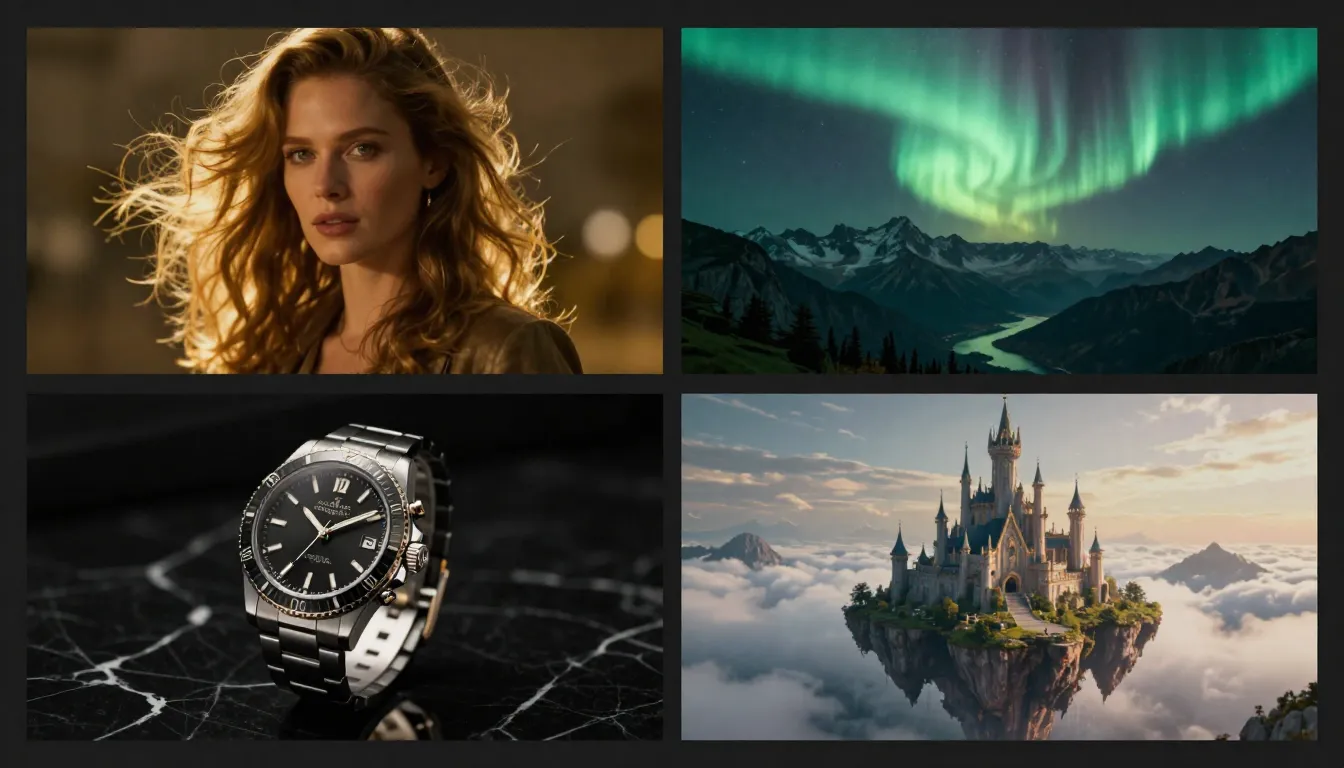
Every image above was generated using free tier credits — standard resolution, no watermarks, full style selection. This is what free looks like on Nano Banana 2.
What You Get for Free
Here is a concrete breakdown of what the Nano Banana 2 free tier includes. No vague marketing language — just what you actually get.
Full Tool Access
- Text-to-Image ✅ — Generate original images from text descriptions. Write a prompt, pick a style, choose an aspect ratio, and generate. Full access to all 12+ art styles at standard resolution.
- Image-to-Image ✅ — Upload a reference photo and transform it. Change art styles, apply creative effects, generate variations, or reimagine your image in a completely different aesthetic. The same transformation engine that Pro users access.
- Prompt Generator ✅ — Turn a brief, casual description into a detailed, optimized prompt that produces significantly better image results. This is one of the most valuable tools on the platform, and it is fully available on the free tier.
Quality and Style
- 12+ Art Styles ✅ — Photorealistic, Digital Art, Anime, Watercolor, Oil Painting, Concept Art, Flat Design, Pixel Art, Pencil Sketch, Cyberpunk, Fantasy, Art Nouveau, and more. Free users have access to the complete style library — nothing is locked.
- Standard Resolution ✅ — Images are generated at standard resolution, suitable for social media posts, blog illustrations, concept exploration, personal projects, and most web-based uses. Standard resolution is not a "low quality" downgrade — it is the platform's default output and produces clean, detailed images.
- No Watermarks ✅ — Every image you generate on the free tier is delivered without watermarks or branding overlays. The image you see is the image you download. No "remove watermark" upsell.
- Multiple Aspect Ratios ✅ — Square, landscape, portrait, and widescreen ratios are all available. You are not locked into a single format.
- Download in Full Quality ✅ — What you generate is what you download. No resolution reduction on export, no format conversion to lower quality.
What Free Does Not Include
Being transparent about limitations is as important as listing features. Here is what the free tier does not include:
- HD/Ultra-HD Output — Higher resolution output for print materials, large-format displays, and professional production work requires Pro.
- Priority Generation Queue — During peak usage, Pro users' generations are processed ahead of free tier. Wait times on the free tier may be slightly longer during busy periods.
- API Access — Programmatic integration with external tools and workflows is a Pro feature.
- Full Commercial License — Free tier images can be used for personal projects and non-commercial content. Full commercial licensing for client work, advertising, and products requires Pro. See our Terms of Service for complete details.
- Higher Monthly Credits — Pro plans include substantially more monthly credits for users who generate at professional volume.
If you are exploring AI image generation, creating personal projects, or evaluating whether Nano Banana 2 fits your workflow, the free tier gives you a complete and honest experience of the platform.
Nano Banana 2 Free vs Pro: Complete Comparison
This table covers every material difference between the Free and Pro plans. If a feature is not listed here, it works the same on both tiers.
| Feature | Free | Pro |
|---|---|---|
| Monthly Credits | Generous free allocation | Significantly higher volume |
| Text-to-Image | ✅ Full access | ✅ Full access |
| Image-to-Image | ✅ Full access | ✅ Full access |
| Prompt Generator | ✅ Full access | ✅ Full access |
| Art Styles (12+) | ✅ All styles | ✅ All styles |
| Standard Resolution | ✅ Included | ✅ Included |
| HD / Ultra-HD Output | ❌ | ✅ Included |
| No Watermarks | ✅ No watermarks | ✅ No watermarks |
| Priority Queue | Standard queue | ✅ Priority processing |
| API Access | ❌ | ✅ Full API |
| Commercial License | Personal use | ✅ Full commercial rights |
| Video Generation | Limited | ✅ Full access |
| Price | $0 | See pricing page |
Reading the Table
A few things to notice. First, the core creative tools — Text-to-Image, Image-to-Image, Prompt Generator, and the full style library — are identical across both tiers. Nano Banana 2 does not gate creative capabilities behind a paywall. What Pro adds is scale (more credits), quality ceiling (HD output), speed (priority queue), integration (API), and rights (commercial license).
Second, no watermarks on either tier. This is a deliberate choice. We think watermarking free user output is a hostile practice that degrades the experience for everyone. Your images are your images.
Third, the credit difference is the single biggest factor for most users deciding between Free and Pro. If you generate images occasionally — a few per week for social media, blog posts, or personal projects — the free allocation is likely sufficient. If you generate daily, use the platform for client work, or need high volumes for a professional workflow, Pro provides the credit capacity to support that usage pattern.
For current pricing details and plan options, visit the Nano Banana 2 pricing page.
When Should You Upgrade to Pro?
The free tier is not a demo. It is a complete, usable tier that many creators will never outgrow. That said, there are specific scenarios where upgrading to Pro makes clear practical sense.
You Need HD Commercial Assets
If you are creating images for print materials, large-format displays, professional product photography alternatives, or high-resolution client deliverables, standard resolution may not be sufficient. Pro's HD and Ultra-HD output produces images at resolutions suitable for professional production workflows. If your images need to look sharp on a billboard, a product packaging mockup, or a high-DPI retina display, Pro delivers the pixel density you need.
Your Monthly Usage Exceeds Free Credits
This is the most straightforward reason to upgrade. If you consistently run out of credits before the month ends, you are generating at a volume that the free tier was not designed to sustain. Pro's higher credit allocation means you spend less time rationing generations and more time creating. Track your usage over two or three months — if you are hitting zero credits regularly, upgrading is a practical decision, not an indulgence.
You Need API Integration
If you are building Nano Banana 2's image generation into an app, an automated content pipeline, a Zapier workflow, or any programmatic system, you need API access. The API lets you trigger generations, receive results, and manage credits without using the web interface. This is exclusively a Pro feature because API usage patterns typically involve higher volumes and automated workflows that require the larger credit pool.
Full Commercial Licensing Is Required
Free tier images can be used for personal projects, non-commercial content, educational materials, and internal documents. If you are selling images, using them in paid advertising campaigns, delivering them to clients as part of a service, or incorporating them into commercial products, Pro's commercial license provides the legal coverage you need. This is not a technicality — it is an important distinction for anyone generating revenue from AI-created visuals. Review our Terms of Service for the complete licensing framework.
You Want Priority Processing
During peak usage periods, the generation queue can develop wait times. Pro users' requests are processed ahead of standard queue. If you are working on a deadline, producing content during a live session, or simply value faster turnaround, priority queue eliminates the waiting.
The Decision Framework
Ask yourself three questions:
- Am I running out of credits regularly? If yes, Pro solves that.
- Do I need images for commercial or professional use? If yes, Pro provides the license and the resolution.
- Do I need programmatic access? If yes, Pro is required.
If you answered no to all three, the free tier is serving you well. Keep using it.
Nano Banana 2 vs Free Alternatives
Nano Banana 2 is not the only free AI image generator available. Here is an honest comparison with the major free alternatives, focusing on what you actually get without paying.
| Feature | Nano Banana 2 Free | DALL-E Free (ChatGPT) | Leonardo AI Free | Playground AI | Canva AI |
|---|---|---|---|---|---|
| Free Credits | Generous monthly credits | Limited daily generations | 150 tokens/day | 500 images/day | Very limited |
| Image Quality | High (multiple models) | High (DALL-E 3) | High (custom models) | Medium-High | Medium |
| Style Variety | 12+ distinct styles | Limited style control | Multiple models/styles | Preset styles | Template-based |
| Prompt Generator | ✅ Built-in | ❌ (via ChatGPT text) | ❌ | ❌ | ❌ |
| Image-to-Image | ✅ Included free | ❌ Edit only | ✅ Limited | ✅ Limited | ❌ |
| Watermarks | None | None | None (on free) | None | Canva branding |
| Resolution | Standard | 1024×1024 | Standard | Standard | Template-dependent |
| Commercial Use | Personal use | Yes with limits | Personal use | Yes with limits | Canva license |
| Limitations | Monthly credit cap | Daily generation limit | Token system, queue waits | Quality ceiling | Very few AI generations |
What This Comparison Tells You
DALL-E (via ChatGPT) produces excellent images but offers very limited free generations per day. You also lack fine-grained style control — you are working within DALL-E's default aesthetic unless you prompt-engineer around it. No dedicated Image-to-Image, no prompt optimization tool. If you are already paying for ChatGPT Plus, DALL-E is a strong option. If you are looking for a free standalone image generator, the daily limits are restrictive.
Leonardo AI has a capable free tier with multiple models and decent daily token allocation. The learning curve is steeper than Nano Banana 2 — more settings, more options, more decisions to make before you generate your first image. For power users who want deep control, Leonardo is worth exploring. For creators who want to go from idea to image quickly, Nano Banana 2's streamlined interface and built-in Prompt Generator remove friction that Leonardo adds.
Playground AI offers a generous free tier with up to 500 images per day, but image quality is variable and style control is more limited than dedicated AI art platforms. It is a good option for high-volume exploration at lower quality thresholds, less suited for professional-quality output.
Canva AI integrates AI image generation into Canva's broader design platform, which is appealing if you are already in the Canva ecosystem. However, the AI generation capabilities are limited compared to dedicated platforms — fewer styles, less prompt control, and very few free AI generations per day. The value of Canva AI is the design workflow around it, not the AI generation itself.
Nano Banana 2's differentiator across all of these comparisons is the integrated creative pipeline. The Prompt Generator writes optimized prompts for you, Text-to-Image generates the image, Image-to-Image refines and transforms it, and the video tools can animate your best results. No other free tier offers this complete workflow in one platform. If you are evaluating free options, sign up for two or three and compare the results for your specific use case — that is always the most honest test.
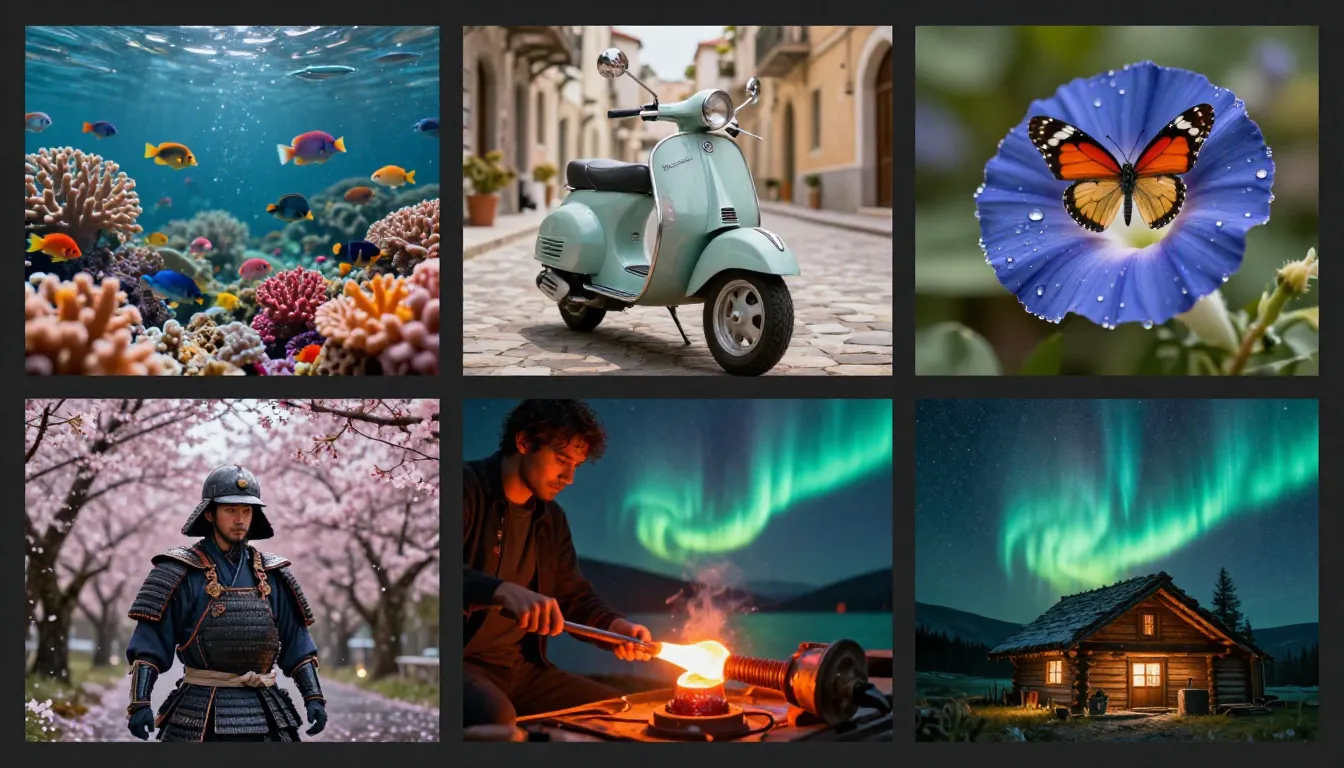
Nano Banana 2 free tier output across multiple styles and subjects — portraits, landscapes, product visuals, character designs, and abstract compositions.
How to Maximize Your Free Credits
Free credits are finite. Wasting them on trial-and-error generations when simple techniques can improve your hit rate is frustrating and unnecessary. Here are five practical strategies for getting the most value from every credit you spend.
1. Start with the Prompt Generator
This is the single most impactful habit you can build. Instead of typing a vague prompt into Text-to-Image and hoping for the best, open the Prompt Generator first. Describe your idea in a few casual words — "cat in a space suit floating near Saturn" — and the Prompt Generator will produce a detailed, structured prompt with lighting, composition, mood, and style descriptors that dramatically improve output quality.
The Prompt Generator costs credits too, but the net effect is overwhelmingly positive. A well-crafted prompt produces a usable image on the first or second attempt. A vague prompt might take five or six attempts to get something you are happy with. The math is straightforward: spending a couple of credits on prompt optimization saves many more credits on regeneration.
For a deep dive on prompt writing techniques, see our complete guide to using Nano Banana 2.
2. Preview at Smaller Scale First
When you are exploring a new concept or trying a style you have not used before, generate at a smaller aspect ratio or standard resolution first. Do not start with the largest canvas and highest settings. Get the composition, colors, and mood right at standard scale, then commit to a higher-quality generation once you know the prompt produces what you want.
This is especially important for complex scenes with multiple subjects, specific spatial arrangements, or detailed backgrounds. These prompts often need two or three iterations to nail the composition. Running those iterations at standard resolution costs fewer credits than running them at maximum scale.
3. Build a Prompt Template Library
Once you find a prompt structure that produces excellent results for a specific category — say, product photography, portrait photography, or landscape art — save it. Create a simple text file or note with your best-performing prompts organized by category.
Next time you need a similar image, start from a proven template instead of writing from scratch. Swap out the subject but keep the lighting, style, and composition descriptors that you already know work well. This approach reduces the experimental phase of each generation and gives you more predictable results.
Templates compound over time. After a month of creating and refining, you will have a personal library of prompts that consistently produce excellent output on the first attempt. For prompt inspiration and reusable examples, check out our Nano Banana 2 AI Image Examples.
4. Use Image-to-Image for Variations
If you generate an image that is 80% of what you want, do not regenerate from scratch with a modified prompt. Instead, send the image to Image-to-Image and describe the changes you want. This typically produces a closer result than re-rolling the entire generation, because you are working from a visual foundation rather than starting from zero.
Image-to-Image is also excellent for exploring style variations of a single concept. Generate one strong base image, then run it through Image-to-Image with different style prompts — watercolor version, anime version, photorealistic version. You get a cohesive set of variations from one base generation, rather than creating each version independently.
5. Reference the Tutorial Content
Nano Banana 2 publishes detailed guides specifically designed to help you produce better results with less experimentation. Before you spend credits exploring techniques on your own, check whether there is a guide that covers what you are trying to do:
- How to Use Nano Banana 2 — complete tutorial covering every tool and workflow
- What Is Nano Banana 2 — platform overview with feature explanations
- Image Editing Guide — Image-to-Image techniques and advanced editing workflows
- AI Image Examples — gallery of examples with the prompts that created them
Ten minutes reading a guide can save you twenty minutes of trial-and-error and the credits that go with it.
Smart credit management is not about restriction — it is about getting more value from every generation. The Prompt Generator alone can cut your trial-and-error rate in half.
Standard vs HD Resolution: What Is the Difference?
One of the key distinctions between Free and Pro is output resolution. Here is what that means in practical terms.
Standard resolution (available on Free and Pro) produces images with enough detail for digital use — social media posts, blog illustrations, web graphics, concept exploration, mood boards, and presentation slides. For the majority of online content, standard resolution is not a compromise. It is the resolution at which most digital images are consumed.
HD and Ultra-HD resolution (Pro only) increases the pixel density for use cases where fine detail matters — print materials, large-format displays, professional product photography, high-DPI screens, and commercial production. HD images contain more visual information, which means sharper edges, more visible texture detail, and cleaner gradients at large viewing sizes.
The question is not "is HD better?" — it objectively is. The question is "does my use case require it?" If you are posting images on Instagram, illustrating a blog article, or creating concept art for a pitch deck, standard resolution delivers excellent results. If you are printing a poster, creating a catalog spread, or delivering production assets to a client who will use them at billboard scale, HD resolution matters.
Do not upgrade to Pro solely for HD resolution unless your workflow actually requires it. Many professional creators use standard resolution for all their web-based content and only switch to HD for specific print or production deliverables.
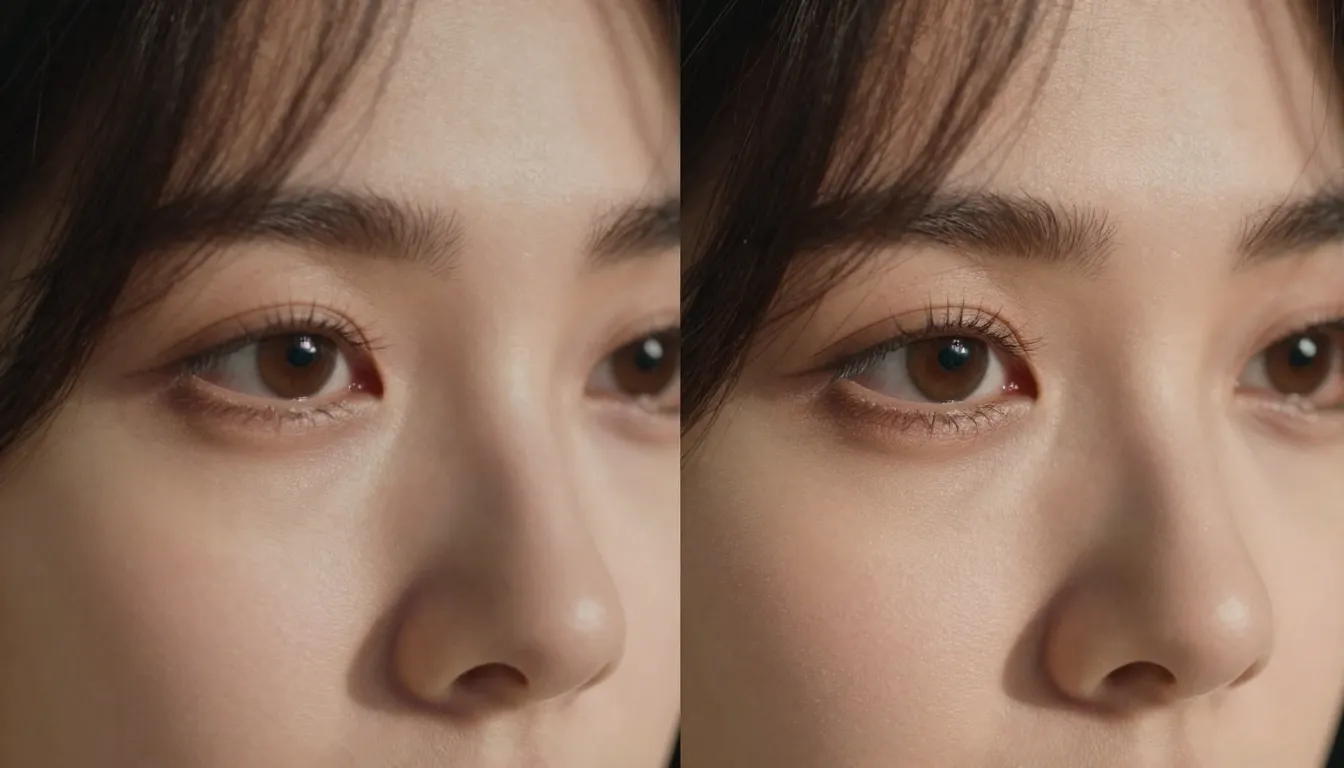
Standard resolution (left) vs HD resolution (right) — both are high quality, but HD reveals finer details in textures, edges, and subtle gradients at larger viewing sizes.
Frequently Asked Questions
Is Nano Banana 2 completely free?
Nano Banana 2 offers a permanently free tier with generous monthly credits. You can sign up without a credit card, receive credits immediately, and use every core feature on the platform — Text-to-Image, Image-to-Image, and Prompt Generator — without paying anything. The free tier is not time-limited or trial-based; it continues every month with refreshed credits. The Pro plan exists for users who need higher credit volumes, HD resolution, priority queue, API access, and full commercial licensing. For most casual creators and explorers, the free tier provides a complete and ongoing experience.
How many free images can I generate per month?
The free tier includes generous monthly credits that refresh on a regular cycle. The exact number of images you can generate depends on which tools you use and the complexity of each generation, since different operations have different credit costs. Text-to-Image and Image-to-Image cost a few credits per generation, and the Prompt Generator has its own credit cost. As a rough guide, free credits are designed to support regular creative exploration — not unlimited production, but more than enough to evaluate the platform, create personal projects, and maintain a moderate content workflow. Check your credit balance in the dashboard at any time.
Do free images have watermarks?
No. Nano Banana 2 does not add watermarks to any images, regardless of whether you are on the Free or Pro tier. Every image you generate is delivered clean — no platform branding, no "generated by AI" overlays, no semi-transparent logos. The image you see in the generator is the image you download. This is a deliberate policy decision. We believe watermarking undermines the creative experience and discourages users from sharing their work, which is the opposite of what an AI creative platform should do.
What is the difference between Free and Pro?
Both tiers provide full access to the same creative tools (Text-to-Image, Image-to-Image, Prompt Generator) and the same 12+ art styles with no watermarks. The differences are in scale and professional features. Pro includes significantly more monthly credits, HD and Ultra-HD output resolution, priority generation queue for faster processing, API access for programmatic integration, and a full commercial license for using generated images in revenue-generating contexts. Free is designed for personal creators and explorers. Pro is designed for professional workflows and commercial use. See the full comparison table earlier in this article.
How much does Nano Banana 2 Pro cost?
Pro pricing is published on the Nano Banana 2 pricing page with full details on credit allocation, billing cycles, and available payment methods. We offer straightforward pricing without hidden fees, usage-based surcharges, or surprise charges. The pricing page also explains exactly how many credits you receive and what they translate to in terms of generations. We recommend visiting the pricing page directly for the most current information, as plan details may be updated periodically.
Can I use free images for commercial purposes?
Free tier images can be used for personal projects, non-commercial social media content, educational materials, internal presentations, and personal portfolio work. For commercial use — including client deliverables, paid advertising, product listings, merchandise, and any context where the images directly generate revenue — a Pro subscription with its commercial license is required. This distinction exists to provide appropriate licensing terms for different use cases. If you are unsure whether your use case qualifies as commercial, review our Terms of Service or contact support for clarification.
Is there a student discount?
Nano Banana 2 periodically offers promotions and special pricing for specific user groups, including students and educators. The free tier itself provides generous monthly credits that are often sufficient for academic projects, coursework, and educational exploration. For information about current discounts or educational pricing, check the pricing page or reach out to support. We are committed to making AI creative tools accessible to learners and educators.
Can I cancel my Pro subscription anytime?
Yes. There are no cancellation fees, no minimum commitment periods, and no penalty for downgrading. If you cancel Pro, your subscription remains active until the end of the current billing cycle, and then your account reverts to the free tier with its standard monthly credit allocation. Any images you generated while on Pro remain yours — they are not deleted, watermarked, or restricted when you downgrade. You can re-subscribe to Pro at any time if your needs change. We do not want anyone to feel locked into a plan that no longer serves them.
Start Creating — Free Credits Are Waiting
Every AI image starts with a prompt and a click. Whether you are evaluating Nano Banana 2 for the first time, building a daily creative habit, or deciding between Free and Pro, the best next step is the same: start generating and see the results for yourself.
The free tier is not a restricted preview. It is a real, usable creative tool with no watermarks, no feature gates on core capabilities, and enough monthly credits to explore everything the platform offers. If it fits your workflow, keep using it for free. If you outgrow it, Pro is there when you are ready.
Create your first image for free → — sign up in 30 seconds and start generating with Text-to-Image, Image-to-Image, and 12+ art styles.
View plans and pricing → — see the full breakdown of Free vs Pro, credit allocations, and payment options.
Open Text-to-Image → — describe any image you can imagine and watch Nano Banana 2 bring it to life in seconds.
Read the full tutorial → — learn every tool, every technique, and every workflow tip to maximize your results.